
A box too big for my bench showed up from BitBinders. Inside were a dual Commodore 1581 disk drive, a drive I never owned back in the day, and a modern Commodore 64 power supply with built-in meters. This post is the text companion to my unboxing video, with specs, setup, current prices, and where these drives have shown up on the channel since.
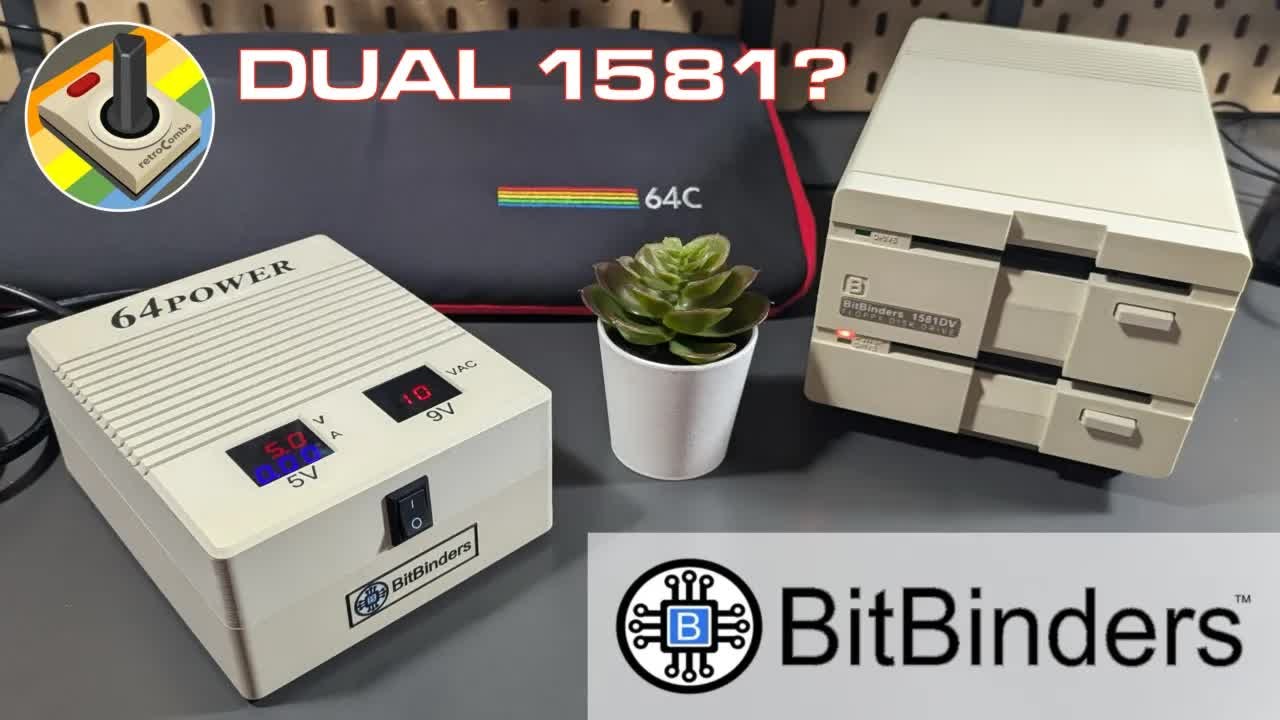
TABLE OF CONTENTS
- TABLE OF CONTENTS
- LINKS
- SUPPORT THE BLOG AND CHANNEL
- COMPANION YOUTUBE VIDEO
- VIDEO ERRATA
- WHAT WAS THE COMMODORE 1581?
- THE 64POWER SUPPLY
- THE 1581DV DUAL DRIVE
- SETTING UP THE DUAL DRIVE
- WHAT SOFTWARE WORKS WITH IT?
- THE BITBINDERS DRIVE LINEUP AND PRICES
- WHERE YOU’LL SEE IT NEXT
- CONCLUSION
LINKS
BitBinders
- 💾 BitBinders 1581 replica disk drives: https://bitbinders.com/collections/bitbinders-1581-replica-disk-drives
- 🔌 BitBinders store (64Power and more): https://bitbinders.com
Resources
- 📖 Commodore 1581 on Wikipedia: https://en.wikipedia.org/wiki/Commodore_1581
- 📖 Commodore 8050 and 8250 dual drives on Wikipedia: https://en.wikipedia.org/wiki/Commodore_8050
Related Posts
- MEGA65 User’s Guide Chapter 6 - Using Disks and Disk Images (the dual drive connected to a MEGA65)
- Ten No Hack TheC64 Tips To Upgrade your Retro Computing Experience
Full disclosure: Craig Smith at BitBinders sent me the 1581DV dual drive and the 64Power supply free to review. The BitBinders links in this post are plain links, not affiliate links.
Disclosure Statement: When you click on links to various merchants on this site and make a purchase, this can result in this site earning a commission. Affiliate programs and affiliations include, but are not limited to Amazon and the eBay Partner Network.
SUPPORT THE BLOG AND CHANNEL
Check out the supporters page to learn about my supporters and how you can join our community. If this post saved you some time, you can also leave a tip.
COMPANION YOUTUBE VIDEO
Title: 💾️ BitBinders Dual Disk Drive Changes the Commodore 64 Forever!
 BitBinders Dual Disk Drive Changes the Commodore 64 Forever!
VIDEO ERRATA
As of 2026-11-16:
- DH or DV? In the video I read “1581 DH” off the box. The drive I have is the stacked model, labeled 1581DV. BitBinders sells the stacked (vertical) model as the 1581DV and the side-by-side (horizontal) model as the 1581DH.
- Did Commodore make a dual drive? I said I didn’t think Commodore ever built a two-unit floppy drive. Commodore did make dual drives, such as the 4040, 8050, and 8250, but those were side-by-side 5.25-inch drives for the PET and CBM business line that used the parallel IEEE-488 bus. As BitBinders puts it, Commodore never made a dual 1581.
- Power. I said power wasn’t included in the box. It was. The 9-volt power adapter was in the small accessory bag.
WHAT WAS THE COMMODORE 1581?
The Commodore 1581 was a 3.5-inch, double-sided, double-density floppy drive released in 1987 for the Commodore 64 and 128. It also works with the Plus/4, C16, and VIC-20. It launched at $399 and was discontinued in 1990.
| Feature | Commodore 1581 |
|---|---|
| Released | 1987 |
| Launch price | $399 |
| Media | 3.5-inch double-sided, double-density disks |
| Capacity | About 800 KB (3,160 blocks free) |
| Drive CPU | MOS 6502 at 2 MHz |
| Interface | Commodore serial bus, with burst mode on the C128 |
| Discontinued | 1990 |
Source: Commodore 1581 on Wikipedia, checked November 1, 2026.
That’s more than four times the capacity of a 1541 disk, and the 1581 was the highest-capacity serial-bus drive Commodore ever made. The catch is compatibility. The 1581 is compatible with older Commodore drives at the DOS level, but software that does low-level disk access, which includes most C64 games, won’t run from it. Original 1581s are also hard to find today, which is where BitBinders comes in.
THE 64POWER SUPPLY
The first box held the 64Power, a modern replacement power supply for the Commodore 64. Original C64 power supplies are now more than 30 years old, and the earliest are past 40. A failing one can damage the computer, so a modern supply is a smart purchase.
What I like about it:
-
Built-in meters. It shows the voltage on both outputs and the current draw on the 5-volt side, so you can see what your C64 is pulling.
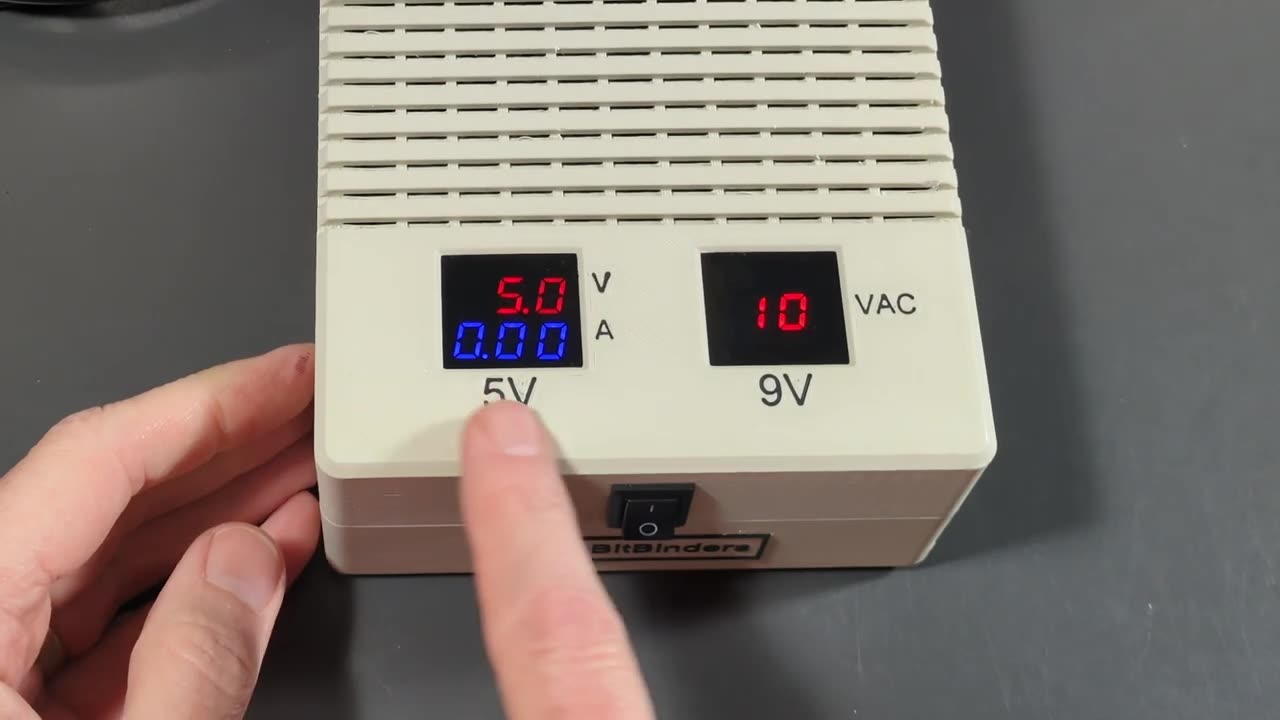
- A front power switch. Turn the C64 off at the supply.
- Both cables out the back. The power cord and the 7-pin DIN plug for the C64 both exit the rear, which keeps the desk tidy.
- The case. It appears to be 3D printed, with a nice BitBinders logo.
| 64Power spec | Value |
|---|---|
| Outputs | 5 VDC at 3 A and 9 VAC at 1 A |
| Connector | 7-pin DIN (Commodore 64) |
| Input | 110 to 240 V |
| Fuse | User-replaceable |
| Warranty | 12 months |
Source: BitBinders, checked November 1, 2026.
BitBinders lists the 64Power for the Commodore 64. I own a Commodore Plus/4 adapter, and I believe it will work with my Plus/4 through that adapter. I haven’t confirmed that, so check with BitBinders before you buy it for a Plus/4.
THE 1581DV DUAL DRIVE
The second box held the drive, and it’s gorgeous. BitBinders hand-assembles these drives. The styling mimics the original 1581, with a BitBinders logo where the Commodore logo used to be. Each mechanism has its own drive light, and there’s a power light.
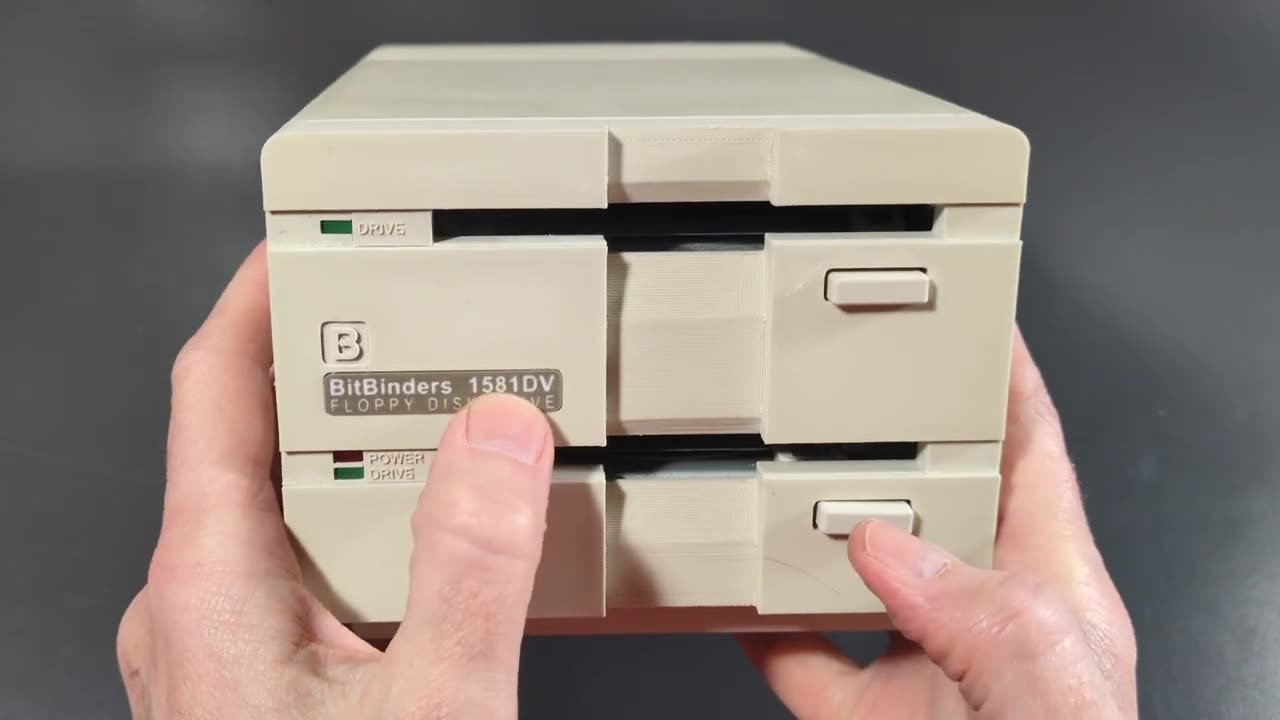
I chose the stacked 1581DV because it takes up less desk space. BitBinders also makes a side-by-side model, and I’m told it’s designed to hold a monitor on top.
| 1581DV spec | Value |
|---|---|
| Drives | Two 3.5-inch 1581-compatible drives, stacked |
| ROM | JiffyDOS |
| Unit numbers | Each drive settable to 8, 9, 10, or 11 |
| Power | 9 V wall adapter (110/220 V), included |
| Construction | Socketed ICs; some used or new-old-stock parts |
| Size and weight | 4.4 × 5.4 × 8.8 in, 4.3 lb |
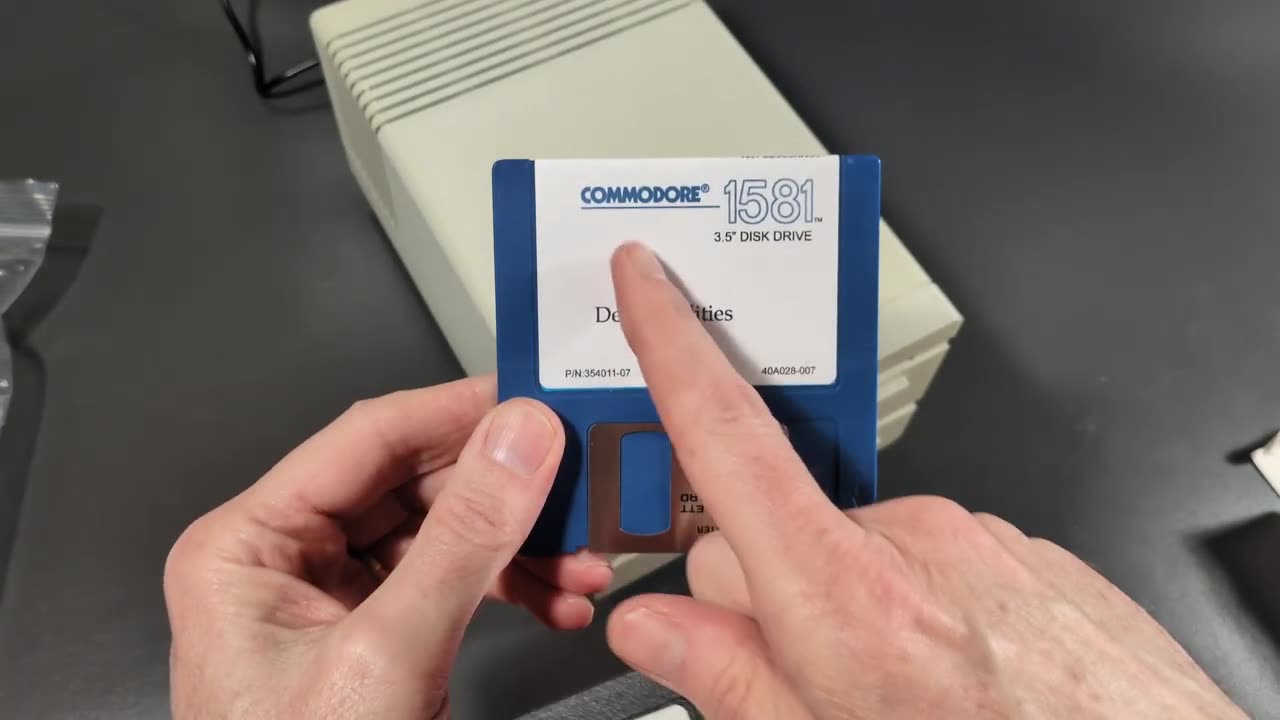
| Included disks | Commodore 1581 test and utilities disk, 1581 Toolkit disk |
| Warranty | 12 months |
Source: BitBinders, checked November 1, 2026.
SETTING UP THE DUAL DRIVE
Around the back are switches for the top drive and switches for the bottom drive. Here’s how I set it up:
-
Set the unit number for each drive with its rear switches. Each drive can be unit 8 through 11. Give each drive a different number, and make sure neither conflicts with another device on your serial bus.
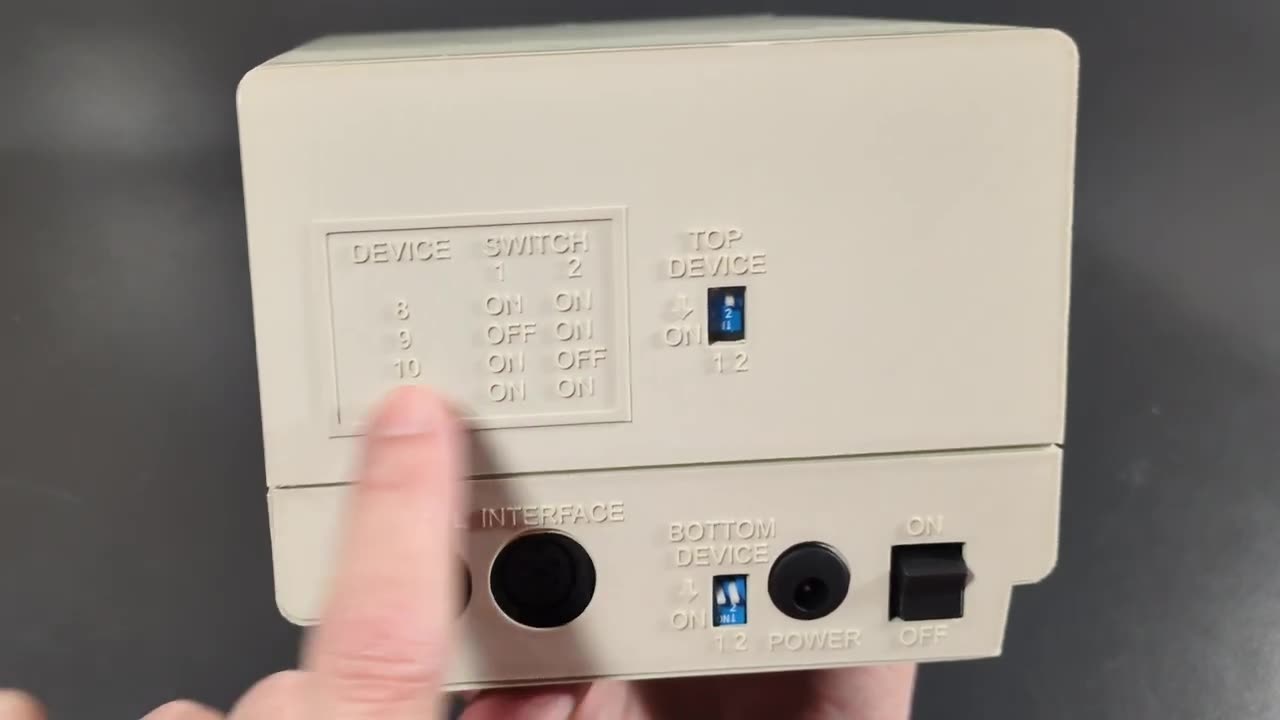
- Connect the drive to your computer’s serial (IEC) port with a Commodore serial cable.
- Plug the 9-volt adapter into the power jack.
- Flip the power switch. The power light comes on. With no computer connected, you won’t hear any drive clicks.
The point of a dual drive is that you can work with two disks at once, for example copying from one to the other, without the old floppy disk shuffle.
Tip: On a Commodore 64, the 1581 burst mode isn’t available. That’s a C128 feature. JiffyDOS in the drive speeds up loading if your computer also has a JiffyDOS ROM installed.
WHAT SOFTWARE WORKS WITH IT?
The 1581DV behaves like two Commodore 1581 drives, so the same rules apply:
- Works well: BASIC programs, productivity software, GEOS, BBS software, and anything that uses standard DOS commands to load and save files.
- Won’t work: Most commercial C64 games on disk, because they use fast loaders or copy protection written for the 1541. For those, you still want a 1541 or a 1541-compatible device.
BitBinders includes two disks to get you started: the Commodore 1581 test and utilities disk and the 1581 Toolkit. I never owned a 1581, so I’m looking forward to digging into both.
THE BITBINDERS DRIVE LINEUP AND PRICES
Prices from BitBinders as of November 1, 2026:
| Product | Price |
|---|---|
| 1581DV dual drive (stacked) | $569 |
| 1581DH dual drive (side by side) | $569 |
| 1581S single drive | $329 |
| MEGA1581 | $359 |
| 64Power supply | $89 |
If you only need a replacement for a single 1581, the single-drive model is the one to look at.
WHERE YOU’LL SEE IT NEXT
I didn’t connect the drive to a computer in this video. In the video I mention trying it on the MEGA65. My MEGA65 User’s Guide Chapter 6 post covers unit numbers and external drives on the MEGA65’s IEC port, and it links to the BitBinders drives. I also planned to pair the drive and the 64Power with a Commodore 64 project I’m working on.
CONCLUSION
The BitBinders 1581DV is a well-built, hand-assembled dual 1581, a drive Commodore never made, and the 64Power is a practical upgrade for any C64 owner. Thank you again to Craig Smith at BitBinders for sending these over. He didn’t have to, and I know it’s a significant outlay for a growing business. Support the people making new hardware for our hobby.
Would you use a dual 1581, or do you stick with a 1541 and an SD2IEC? Let me know in the comments below. If this post helped, leave a tip.
That’s it for me, folks. 🕹️ retroCombs, OUT!
Comments
Comments use GitHub Discussions; sign in with GitHub to join in.