After my last Clockwork uConsole video, quite a few of you asked the same question: can it run OBS Studio and livestream? So I wiped the uConsole, installed OBS, and went live to YouTube five times with two different cameras to find out. Then I tried one more way to stream that skips OBS altogether.
This post is the text companion to that video. It covers the fresh install, how I got OBS running, each stream test and what changed between them, and my verdict. Let’s dig in!
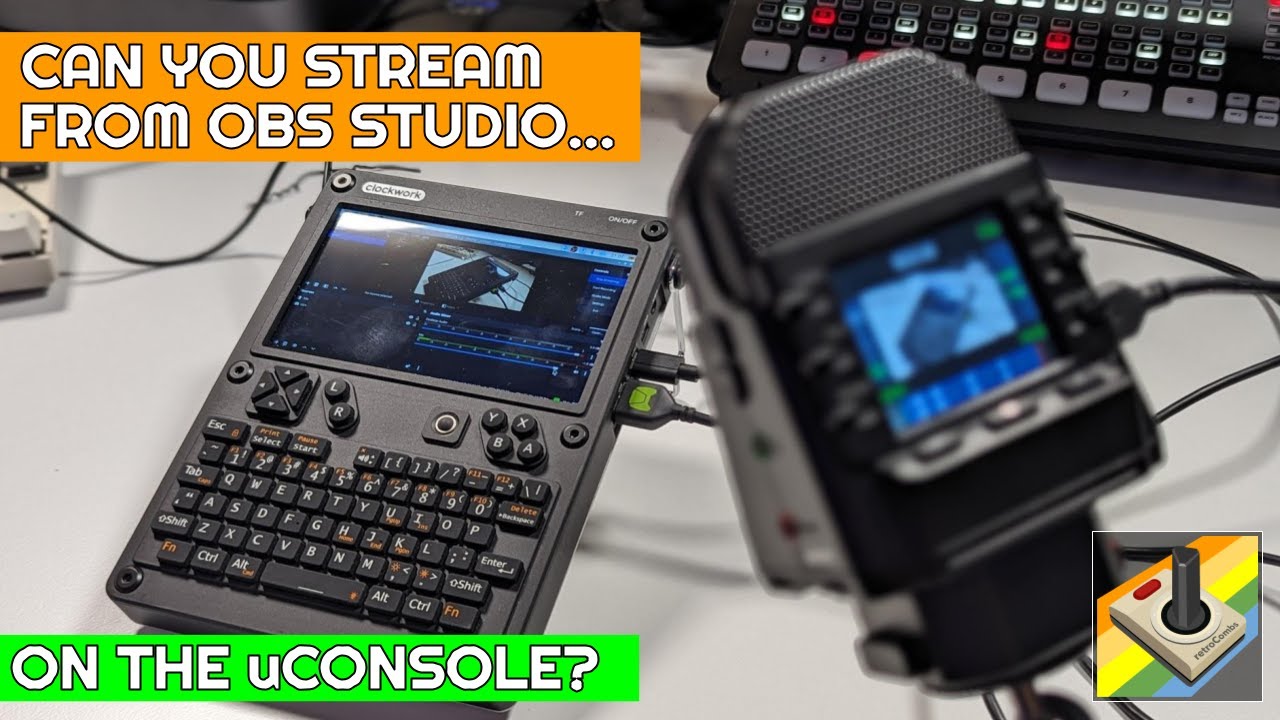
TABLE OF CONTENTS
- TABLE OF CONTENTS
- LINKS
- SUPPORT THE BLOG AND CHANNEL
- COMPANION YOUTUBE VIDEO
- VIDEO ERRATA
- A FRESH INSTALL
- THE SECRET SAUCE: PI-APPS
- THE CAMERAS
- SETUP: A USB-C SURPRISE
- THE STREAM TESTS
- STREAMING WITHOUT OBS
- MY VERDICT
- ONE MORE USE CASE
- CONCLUSION
LINKS
- 🎮 Clockwork uConsole: https://www.clockworkpi.com/uconsole
- 💾 uConsole GitHub (OS images): https://github.com/clockworkpi/uConsole
- 🍓 Pi-Apps: https://pi-apps.io/
- 📺 My uConsole unboxing and assembly video: https://youtu.be/pNG8KqZs_Fg
- 📺 My Clockwork DevTerm video: https://youtu.be/I7StErCRl1Q
Disclosure Statement: When you click on links to various merchants on this site and make a purchase, this can result in this site earning a commission. Affiliate programs and affiliations include, but are not limited to Amazon and the eBay Partner Network.
SUPPORT THE BLOG AND CHANNEL
Check out the supporters page to learn about my supporters and how you can join our community. If this post saved you some time, you can also leave a tip.
COMPANION YOUTUBE VIDEO
Title: Can You Stream on the Clockwork uConsole? OBS Studio Goes Handheld!
 Can You Stream on the Clockwork uConsole? OBS Studio Goes Handheld!
VIDEO ERRATA
- “Portable Raspberry 5” (~16:40): My uConsole has a Raspberry Pi Compute Module 4, not a Pi 5. That’s the whole point of the CM5 discussion at the end.
- “Leave a comment in the video description below” (~17:00): You can’t comment in a description. Leave your OBS tips in the comments below this post.
- “Non OSB Studio” chapter title (12:35): That should be “Non OBS Studio.”
A FRESH INSTALL
I’d been tinkering with my uConsole a lot, and I didn’t want anything weird in the OS getting in the way of OBS. So I started clean. Clockwork posts the image files on its uConsole GitHub repo. My uConsole has the Raspberry Pi Compute Module 4, so I grabbed the image for that model and flashed it to an SD card with Etcher.
THE SECRET SAUCE: PI-APPS
I tried installing OBS with the regular package manager, and it didn’t work out. Pi-Apps saved the day. It handles the dependencies for you, so OBS just works. That’s a big win for anyone with a uConsole who isn’t familiar with Raspberry Pi OS.
One note: Pi-Apps installed OBS Studio version 27, not the newest version (30 when I filmed). It worked for my tests.
THE CAMERAS
I tried two cameras:
- Logitech Brio: a 4K camera with a lot of smarts inside
- A generic HD webcam: a full HD 1080p USB camera I picked up during the pandemic for about $40
SETUP: A USB-C SURPRISE
I ran on wall power for the first test to be safe. I needed more USB ports, so I tried a USB-C hub in the USB-C port. It charged the uConsole, but my keyboard didn’t work through it. That port was giving me power only. I switched to a powered hub on the USB 2.0 port, and the keyboard and trackpad came to life. I wanted the USB port for the Brio, but without enough ports, the camera went through the hub at first too.
THE STREAM TESTS
Each test streamed over Wi-Fi from OBS on the uConsole to YouTube.
- Brio through the hub at 1280 x 720: I added the Brio as a video source and the Brio mic as an audio capture device. The audio worked, but the preview froze, and the stream was frozen and nasty.
- Brio at 24 frames per second: I dropped the frame rate to 24 fps, closed everything else to free up resources, and restarted OBS. OBS reported an excellent connection, so the uConsole was getting the data to YouTube. The video was still very herky-jerky. I started to think the Brio was more camera than this setup could handle.
- Generic webcam through the hub: The cheaper camera has a much wider field of view, and the video didn’t break up in the preview. On the live stream, though, Mr. Landfield, who is always one of the first to show up, confirmed the audio was 5x5 but the video was very flaky.
- Generic webcam plugged straight into the uConsole: I took the hub out of the mix, which meant doing everything on the uConsole’s own keyboard. I tried Motion JPEG and set the resolution to 720p. Audio and video were solid, and I’d guess we hit about 12 frames per second. Still herky-jerky, but much better. We were streaming from a uConsole and a camera, nothing else, and it didn’t lock up or tear.
- Brio plugged straight in: The frame rate seemed better, and the audio seemed more in sync, but the Brio still had that odd glitching and striping. I saw it through the hub too. I think there’s a compatibility problem between the Brio and the uConsole.
The lesson: frame rates are better when you skip the USB hub and plug the camera directly into the uConsole, and the camera you use matters more than anything else.
STREAMING WITHOUT OBS
You can also go live from YouTube Studio in the web browser. I closed OBS, allowed the browser to use the camera and mic, and went live. There are no resolution settings, so it does whatever it can, but it was a lot better than OBS. I think that’s because OBS puts a heavy load on the CPU.
With the generic webcam, the browser stream ran at what I’d guess was 15 to 20 frames per second, maybe 24. It was blurry, but a lot of that could be the camera.
MY VERDICT
Can you livestream from the Clockwork uConsole? Yes. Can you stream with OBS? I think there’s still too much overhead for OBS on the Compute Module 4.
When I filmed in February 2024, the Clockwork folks hoped to offer a Compute Module 5 for the uConsole. When we can swap the CM4 for a CM5, I think streaming on the go from a uConsole is something you’ll want to try. For now, it’s a fun experiment. I’m still a little bummed the Brio didn’t work, but I’m pleased we found a decent way to stream.
ONE MORE USE CASE
Hold the uConsole in one hand with the camera attached, and you’ve got a battery-powered handheld streamer you can walk around the house with. Sure, your phone would do a better job, but that gives me some ideas.
CONCLUSION
Five OBS tests, one browser test, and a clear answer: the uConsole can stream, the browser beats OBS on the CM4, and the camera matters most. If you’re new to the uConsole, start with my unboxing and assembly video, and check out its sibling, the Clockwork DevTerm.
Many of you have tweaked OBS beyond all recognition. If you have tips for better OBS performance on the uConsole, let me know in the comments below. If this post helped, leave a tip.
That’s it for me, folks. 🕹️ retroCombs, OUT!
Comments
Comments use GitHub Discussions; sign in with GitHub to join in.