An SX-64 is missing from my collection. I’ve always wanted one and haven’t been able to find one. If you have one, let me know. So I tried something else: I took my Combian pi/400 and put it in a Vilros PiDOCK 400 to see if I could create a spiritual successor to the SX-64. It’s not the same form factor, but hold on, and you’ll see what I mean.
This post is the text companion to my video. It covers unboxing, assembly, first boot in SX-64 mode, configuration, copying a game with Midnight Commander, playing Operation Wolf, and my verdict. Let’s dig in!
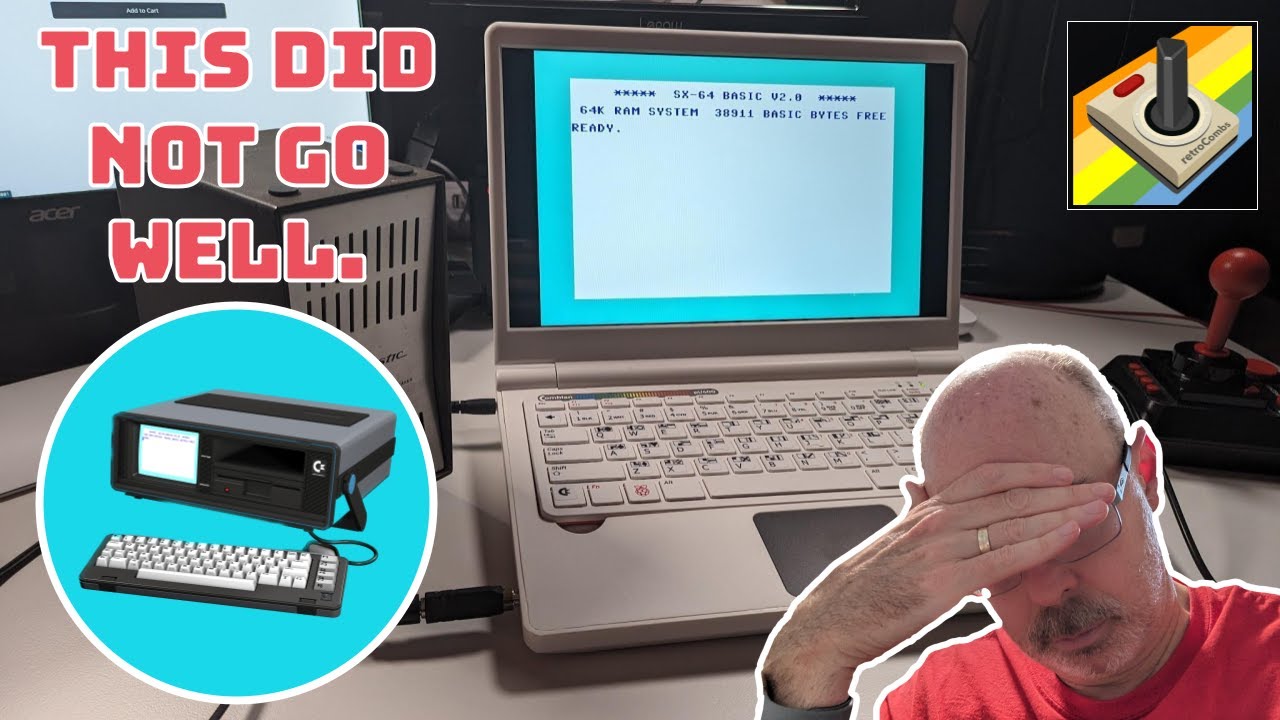
TABLE OF CONTENTS
- TABLE OF CONTENTS
- LINKS
- SUPPORT THE BLOG AND CHANNEL
- COMPANION YOUTUBE VIDEO
- VIDEO ERRATA
- UPDATE: VILROS RESPONDED
- MY COMBIAN PI/400 RECAP
- WHAT IS THE PIDOCK 400?
- MY VILROS EXPERIENCE
- WHAT YOU GET FOR ABOUT $250
- CONNECTING EVERYTHING
- FIRST BOOT IN SX-64 MODE
- CONFIGURING COMBIAN 64
- COPYING A GAME WITH MIDNIGHT COMMANDER
- DOES THIS THING HAVE SPEAKERS?
- PLAYING OPERATION WOLF
- SUMMARY AND RECOMMENDATIONS
- CONCLUSION
LINKS
Video Mention Links
- 💻 Vilros PiDOCK 400: https://vilros.com/collections/vilros/products/pidock-400-raspberry-pi-400-compatible-dock-display
- 💻 Vilros PiDOCK 400 on Amazon: https://link.amazon/A02H2q8rc
- 📼 Vilros’s reply to this video: https://youtu.be/Fd1PuYOL_Uc
- ⌨️ Raspberry Pi 400: https://link.amazon/B0aWmnRVJ
- 📝 My Combian pi/400 project: The Combian pi/400 Project
Retro Games Ltd Accessories
- 🎮 Retro Games Ltd TheGamePad: https://amzn.to/43H7iNu
- 🕹️ Retro Games Ltd TheJoystick: https://amzn.to/43lVHUh
- 🖱️ Retro Games Ltd TheMouse: https://amzn.to/3PiJ1JM
- 💾 USB drive: https://link.amazon/B05GEnTW6
Disclosure Statement: When you click on links to various merchants on this site and make a purchase, this can result in this site earning a commission. Affiliate programs and affiliations include, but are not limited to Amazon and the eBay Partner Network.
SUPPORT THE BLOG AND CHANNEL
Check out the supporters page to learn about my supporters and how you can join our community. I bought this one with my own money and took one for the team. If this post saved you that purchase, you can leave a tip.
COMPANION YOUTUBE VIDEO
Title: Use a Vilros PiDOCK 400 to recreate the Commodore SX-64 experience
 Use a Vilros PiDOCK 400 to recreate the Commodore SX-64 experience
VIDEO ERRATA
- $250 or $240? I say “about 250 dollars” early on, then “240 bucks” in my summary. Either way, it’s pricey for what you get. Check the current price on the Vilros page.
- “C64SX” (~9:30): The machine is the SX-64.
UPDATE: VILROS RESPONDED
After this video went up, Vilros reached out. They weren’t interested in a collaboration. They apologized for not getting back to me sooner, given their small size, and I appreciate the follow-up. Vilros also posted a reply to this video.
MY COMBIAN PI/400 RECAP
A while back, I turned a Raspberry Pi 400 into the Combian pi/400. It runs Combian 64: plug it in, turn it on, and it boots right into C64 mode. As part of that project, I made a Combian pi/400 label, added key covers that give us all the PETSCII characters we need, and created a serial number plate for the back. I didn’t want to change much. I just wanted to make it more portable.
WHAT IS THE PIDOCK 400?
The PiDOCK 400 by Vilros is a laptop-style shell. Drop a Raspberry Pi 400 into it, and you have a portable Raspberry Pi 400.
MY VILROS EXPERIENCE
I reached out to Vilros to see if they might sponsor the PiDOCK 400 and this episode. Crickets. I sent a question through their online contact page about a month before the video and heard nothing back. If you need support, that’s the page you have to use, and I can’t vouch for it. A reply either way would have been nice.
To be clear, Vilros had nothing to do with this video. This was my own purchase. We get what we get, and I say what I’m going to say.
WHAT YOU GET FOR ABOUT $250
In the box:
- A setup guide
- A laptop carrying case with a shoulder strap. That’s nice.
- An HDMI cable (micro HDMI on the Pi end; I always get mini and micro confused)
- A USB-C-to-USB cable for power
- A power supply. It looks like one I already use, except the plug is a regular DC barrel jack, not USB-C.
The PiDOCK itself is all white and very light. The guts come from the Raspberry Pi 400. Around the outside, you’ll find the barrel jack, a headphone port (which you don’t find on many newer computers), the Vilros name on the back, and some heat vents. It’s hard to open. Inside, there’s an LCD panel, a cavity where the Pi 400 drops in, and a touchpad. Peel off the protective plastic from the touchpad and the screen.
There’s no battery. At this point, I was dubious and wondering whether I should have spent the money.
CONNECTING EVERYTHING
- Connect the HDMI cable and the USB-C power cable to the PiDOCK’s video and power-out ports. They’re inside the case.
- Important: make sure the SD card is in the Raspberry Pi 400 before you insert it.
- Slide the cables through the slot in the back and keep them flat. There’s a lot of flex in the plastic there.
- Drop the Pi 400 into the slot. There are magnets, but the Pi 400 doesn’t sit stable. It rocks back and forth.
- Close the screen, then connect the cables to the Pi 400: power to the USB-C port, HDMI to the second micro HDMI port, and the USB cable to any USB port.
The cable management is horrid. The instructions don’t say how to hide the cables, and some stick out beyond the edge of the case. You can push some of them down. On the plus side, you can still reach the SD card, the GPIO pins, and the network port.
FIRST BOOT IN SX-64 MODE
I plugged in the power adapter, opened the lid, and turned it on. There’s a power light. The Commodore 64 screen came up on the PiDOCK’s display. It’s not the best screen, but it works for this.
In Combian 64, I changed the model to the SX-64, since this is meant to be its spiritual successor. Kind of. Sort of. Maybe. That gave me Commodore SX-64 BASIC V2.0.
CONFIGURING COMBIAN 64
I made a few changes in raspi-config:
- Turn on Wi-Fi
- Send audio through HDMI
- Set the host name. I used SX64, so I can connect over the network and drop in disk images.
- Confirm the boot partition is resized
- Set the locale and time zone
- Set the display resolution to 1920x1080 at 60 Hz
Then reboot. That took care of the black border around the screen. The terminal text is still pretty small. I have a blog post on how to change the Raspberry Pi terminal font size, and I need to review it myself.
One more thing: when you close the lid, nothing happens. The light stays on.
COPYING A GAME WITH MIDNIGHT COMMANDER
I had my trusty USB drive with me. Here’s how I got a game onto the card:
- Plug in the USB drive. On the PiDOCK, it’s a little awkward.
- Press F10 to quit the emulator.
- Type
mcto open Midnight Commander, a great little Linux file manager. - In the left pane, go to /media, then the USB drive.
- Highlight the disk image. I picked Operation Wolf. Midnight Commander can even show you what’s inside a disk image, which is really cool.
- Press Tab to switch to the right pane, and go to the Combian 64 games folder.
- Press Tab to go back to the left pane, make sure the image is highlighted, and press F5 to copy it.
- Press F10 to quit Midnight Commander, then exit the terminal to return to the emulator.
- In the emulator, press F10, attach the image to drive 8 from the Combian games folder, and autostart it.
DOES THIS THING HAVE SPEAKERS?
The screen looked great. Honestly, I was more impressed with the screen than anything else. But I heard no sound. I plugged my handy-dandy Realistic speaker into the headphone jack with an adapter, and the sound came through. I checked: there are no onboard speakers. No speakers, no battery, no cable management. I’m confused about who this is for.
PLAYING OPERATION WOLF
Press F3, put the joystick in port 2, press fire, and go. My TheJoystick, a USB C64 joystick, worked perfectly. The volume was already at 100%, so that’s the best I could get from the Realistic speaker. Headphones would be much better.
SUMMARY AND RECOMMENDATIONS
The good:
- The C64 joystick, and probably any USB joystick, works.
- The screen is great. I love how the screen and the Pi 400 work together.
- Sound works through the headphone jack.
- You get a carrying case.
The not so good:
- The volume is very low, even at maximum.
- The cable management in the back is a disaster. Out of the box, it should be better.
- The Pi 400 bounces around in its slot. It doesn’t affect typing much, but it shouldn’t happen.
- I haven’t tested the touchpad yet. I plan to when I install GEOS and try C64 OS.
- Closing the lid does nothing. With a little engineering, a switch could trigger sleep or shutdown on the Pi 400.
- Some pieces don’t sit flush, and it looks a little cheesy.
- It needs the 12-volt adapter to power the screen and the Pi 400, and there’s no battery, so it’s not really portable. A laptop? No way. A spiritual successor to the SX-64? Sure. You still have to plug it in and lug it around.
My recommendation: I can’t recommend it right now. For about $240, it feels like a hollow toy I’ve dropped my nice Pi 400 into. If you want a case and screen for your Pi 400, you don’t mind keeping it plugged in, and you’ll use an external speaker, it’s a purchase, but it’s not worth $240. Maybe some of us can figure out how to hack in a battery, but should we have to?
I’m keeping mine. I might hack on it, or use it for another project. Vilros, if you release a version 2, send it my way, and I’ll take a fair look.
CONCLUSION
The Vilros PiDOCK 400 turned my Combian pi/400 into something like an SX-64: plugged in, heavy, and with a great screen. It’s missing speakers, a battery, and cable management, and at around $240 to $250, that’s a hard sell. Now you know the limitations before you buy one and have to send it back.
Do you own an SX-64, or have you found a better way to make a portable C64? Let me know in the comments below. If this post helped, leave a tip.
That’s it for me, folks. 🕹️ retroCombs, OUT!
Comments
Comments use GitHub Discussions; sign in with GitHub to join in.